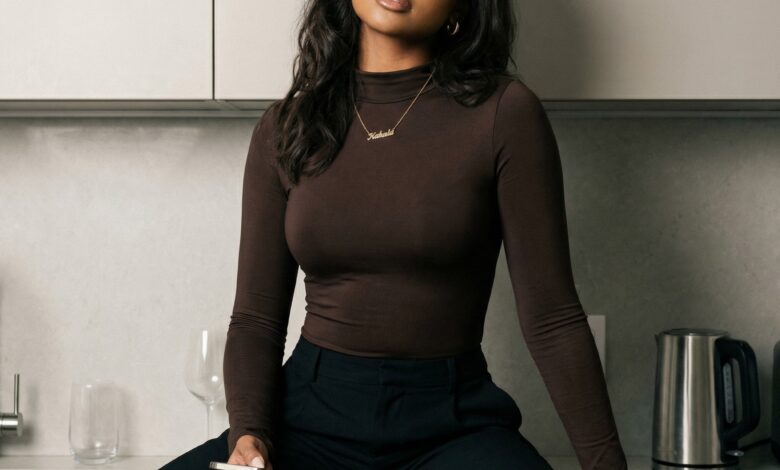
Step 0. Генерация референса ИИ-модели.
В первом уроке я довольно подробно описала все детали, поэтому на выходе у вас уже должен быть референс модели. Я для теста создала новую девушку (потратила 5 минут):

Step 1. Идём в Tik-Tok / Instagram за роликом, который будем повторять
Для генерации видео нужен референс, чтобы ИИ не собрал говно-продукт.
Я люблю видео в нише DANCE, поэтому взяла из Tik-Tok прикольное видео, которое показало хороший охват.
Скопировала ссылку и вставила в тг-бот для скачивания.


Step 2. Идём в ChatGPT за fashion-промтами.
Делаем скрин видео (пример я показала выше), где хорошо видно одежду девушки, локацию и другие детали, которые нам важны.
Теперь с этим скрином и промтом ниже мы сможем получить из ChatGPT крутые fashion промты для генерации образа, который и будет фигурировать в ролике.
Копируем промт и прикрепляем скрин видео
You are a professional fashion prompt designer for AI image generation.
I will provide ONLY:
– A screenshot from a real TikTok video where a girl is dancing.Your task:
– Analyze the screenshot to extract pose, body dynamics, energy, camera perspective, lighting, and environment.
– DO NOT describe or replicate the person’s facial features, body type, or identity from the screenshot.
– Use the screenshot ONLY as a reference for pose, movement, scene composition, and vibe.
– Generate fashion-focused prompts that will later be used with a DIFFERENT AI model image in NanoBanana.IMPORTANT:
– The final prompts must be compatible with photorealistic AI image generation.
– Poses must be physically realistic and suitable for later motion transfer.
– Environments should be similar in style, but NOT identical to the reference screenshot.
– Avoid fantasy, surreal, or exaggerated stylization.
– Focus on modern TikTok / lifestyle / fashion aesthetics.Generate 3–5 different fashion prompts.
Each prompt MUST start with the following sentence EXACTLY as written:
«Use the attached reference photo — preserve the model’s face, pose and body proportions exactly. Use the reference only for the model’s identity (facial features, hair, body proportions); refine styling and set a new composition as described.»
Then continue with the prompt using this exact structure:
—PROMPT #[number] Type of generation:
(photorealistic fashion photography / cinematic lifestyle photo / street-style editorial)
Subject:
(A single AI-generated female model)
Subject appearance / outfit:
(Detailed fashion description: clothing pieces, fabrics, fit, colors, accessories, hairstyle)
Pose or action:
(Describe the dance pose inspired by the screenshot: body angle, arm movement, leg position, balance, energy)
Environment:
(Similar location type: urban street, rooftop, indoor studio, apartment, city night, etc.)
Lighting:
(Natural light, soft daylight, golden hour, cinematic artificial lighting, shadow direction)
Camera angle:
(Eye-level, slightly low angle, dynamic perspective, subtle tilt)
Camera & lens:
(Realistic camera setup, e.g. Sony A7IV, Canon R5, 35mm or 50mm lens, shallow depth of field
Makeup:
(Natural or fashion-appropriate makeup style)
Additional realism notes:
(Natural fabric movement, realistic folds, skin texture, subtle motion blur if appropriate, no distortion
—
Output ONLY the markdown prompts.
Do NOT include explanations, analysis, or commentary.
Step 3. Идём в NanoBanana для генерации фото ИИ модели, которое будем оживлять
Заходим в модель NanoBanana, вставляем fashion-промт, который нам выдал ChatGPT (Step 2) + прикрепляем референс ИИ-модели (Step 0), который у вас уже был готов после первого урока.
Обязательно устанавливаем в настройках разрешение фото, аналогичное разрешению в видео-референсе (у меня это 9:16).

Step 4. Идём в Kling для генерации видео
В Kling есть режим Kling Motion (Motion Control), где необходимо выставить вот такие настройки (интерфейс может отличаться в зависимости от агрегатора, я использую этот).

Далее закидываем fashion-фото (Step 3) и видео-референс (Step 1) + мой промт, который поможет сделать качественное видео.

Use the attached reference video ONLY as motion and rhythm guidance. Animate the subject from the provided AI-generated image into a realistic, smooth video. Preserve the subject’s identity, face, body proportions, and outfit exactly as in the image. Motion instructions: – Match the overall dance rhythm, tempo, and energy from the reference video. – Reproduce similar body flow, weight shifts, and arm movements, but NOT exact choreography. – Movements should be natural, balanced, and physically realistic. – Keep motion fluid and continuous, no sudden or robotic transitions. – Emphasize subtle body dynamics: hip movement, shoulder flow, natural sway. Pose & body consistency: – Maintain consistent body proportions throughout the video. – Avoid stretching, warping, or body distortion. – Keep feet grounded and movements believable. Camera behavior: – Camera remains mostly stable, with very subtle natural movement. – No sudden zooms, shakes, or aggressive camera motion. – Perspective should stay consistent with the original image. Style & realism: – Photorealistic human motion. – Natural fabric movement responding to the dance. – Realistic lighting consistency across frames. – Subtle motion blur only where physically appropriate. Facial expression: – Neutral to confident expression. – Minimal facial movement, no exaggerated emotions. Output style: – Smooth, high-quality cinematic motion. – Social-media friendly, TikTok-style dance vibe. – No glitches, no flickering, no frame jumps. Negative constraints: – No exaggerated or cartoon-like motion. – No surreal effects. – No background changes. – No identity changes. – No sudden scene cuts. Duration: – Short looping-friendly dance clip.
Результат работы
Генерация 18 секундного видео заняла 9 минут. Этого того стоило!
Получившийся результат я показала в самом посте моего ТГ-канала следом за обложкой

